

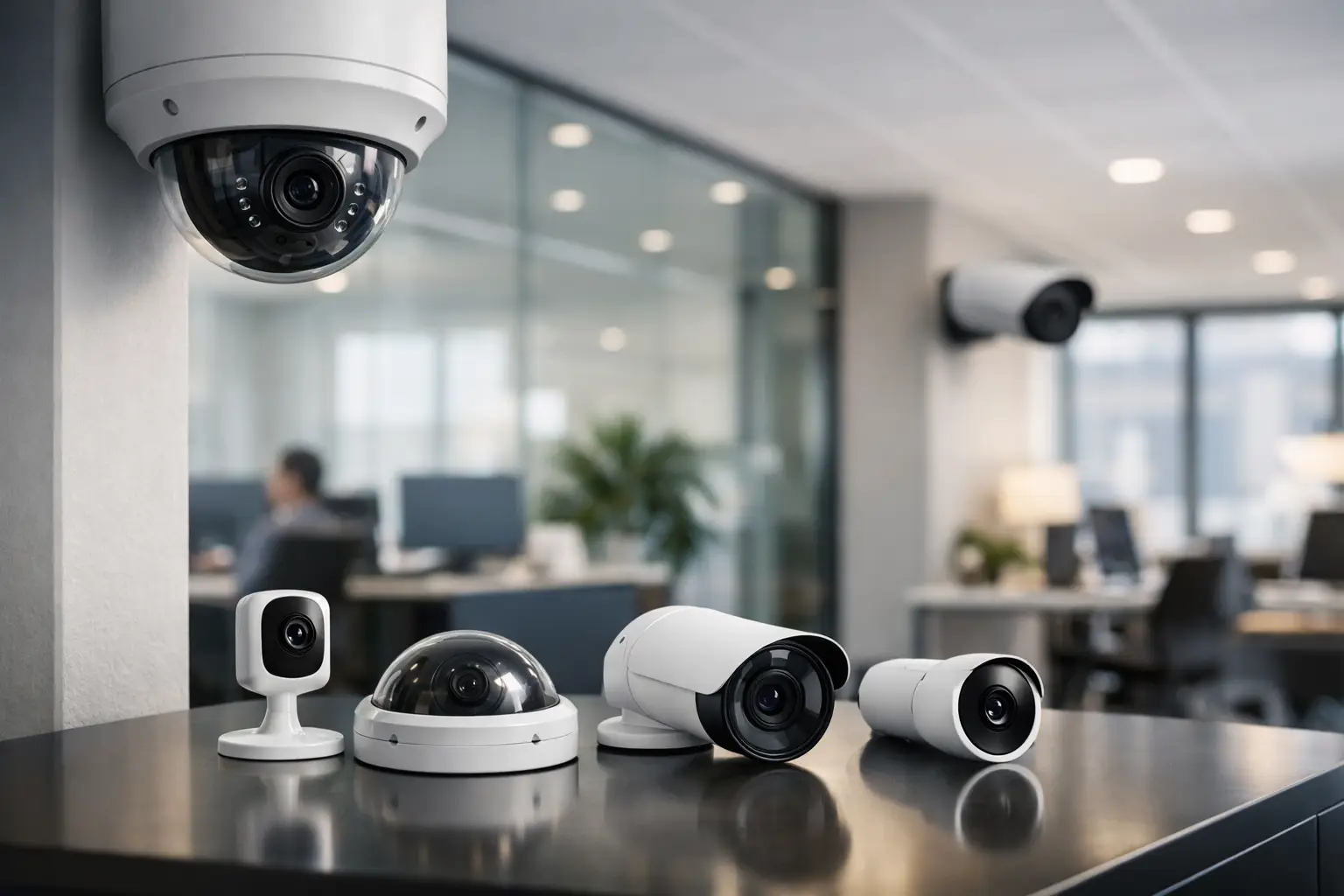
A warehouse manager reviews footage after a loading dock incident. A property manager needs clear video of after-hours entry. An office administrator wants fewer blind spots around reception and server rooms. In each case, the search for the best security cameras for offices is really about reducing risk without creating more operational headaches.
The right camera system does more than record video. In a commercial setting, it helps verify incidents, support employee safety, monitor visitor activity, and give management a clearer picture of what is happening across the property. That said, there is no single camera that fits every office. The best choice depends on layout, lighting, traffic patterns, storage needs, and how the system fits with access control and the rest of your low-voltage infrastructure.
What makes the best security cameras for offices?
Office environments ask more from surveillance than many buyers expect. Video quality matters, but placement, retention, analytics, and reliability matter just as much. A camera that looks great on paper can underperform quickly if it is installed in the wrong location or chosen without regard for network capacity and coverage goals.
For most businesses, the best office camera systems share a few traits. They deliver clear image quality in mixed lighting, hold up well over time, support remote viewing, and scale easily as the business grows. They also fit the environment. A front lobby, executive suite, parking lot, stairwell, and shipping area all have different surveillance demands.
Commercial buyers should also think past the camera itself. A strong office system depends on proper cabling, recording hardware, network design, user permissions, and clean integration with access control or intercoms where needed. That is often where the difference shows between a consumer-grade setup and a professionally designed commercial system.
The main camera types offices should consider
Dome cameras
Dome cameras are a common fit for interior office use because they are compact, professional-looking, and harder to tamper with than many exposed models. They work well in lobbies, hallways, open office areas, conference room entrances, and reception spaces.
Their main advantage is versatility. Many dome cameras provide wide coverage and blend into finished interiors without drawing too much attention. If aesthetics matter to your business, domes are often the safer choice. The trade-off is that some models are less ideal for long-distance exterior viewing compared with more directional cameras.
Bullet cameras
Bullet cameras are often the better choice for outdoor perimeters, parking areas, gates, and long corridors. Their shape makes them easier to aim at a specific area, and they usually perform well when you need stronger distance coverage.
For offices with exterior entrances, detached buildings, or loading zones, bullet cameras can be a practical answer. They are more visible than domes, which can help deter unwanted activity. On the other hand, that visibility may not suit every interior space, especially in client-facing environments where appearance matters.
Turret cameras
Turret cameras have become a popular middle ground for commercial applications. They offer image quality similar to many dome models but avoid some of the glare and reflection issues that domes can have under certain lighting conditions.
For office interiors with bright windows or changing light conditions, turret cameras are often worth considering. They are simple, effective, and well suited to businesses that want clean coverage without unnecessary complexity.
PTZ cameras
PTZ cameras – pan, tilt, and zoom – are best used when active coverage is needed across large spaces. They can monitor parking lots, warehouses connected to office operations, large reception areas, and expansive campuses.
These cameras are powerful, but they are not a substitute for fixed cameras in every area. A PTZ can follow activity and provide close detail, but it only points in one direction at a time unless paired with automation and supporting coverage. In many offices, PTZ cameras are most effective as part of a broader system rather than the entire solution.
AI-powered smart cameras
AI-enabled cameras are increasingly among the best security cameras for offices because they do more than capture footage. They can identify line crossing, loitering, human presence, vehicle activity, and other event-based triggers that reduce the time spent reviewing video.
This matters for businesses that want smarter alerts instead of endless footage storage. AI features can improve response times and help teams focus on actual incidents. The trade-off is that analytics must be configured correctly. Poor placement or unrealistic expectations can lead to nuisance alerts and missed value.
Features that matter most in an office setting
Resolution gets the most attention, but it is only part of the buying decision. Most offices should look for commercial-grade HD or higher resolution, especially at entrances, exits, cash handling areas, and parking access points. Still, a higher-resolution camera installed too high or too far away may not deliver the usable detail you need.
Low-light performance is another major factor. Many incidents happen early in the morning, after business hours, or in mixed indoor-outdoor lighting. Cameras should be able to handle shadows, glass entryways, and nighttime conditions without producing footage that is too dark or blown out to use.
Remote access is now standard for many businesses, but it should be secure and role-based. Owners may need full visibility, while department managers may only need access to specific views. Storage options also deserve attention. Some businesses need short retention for routine monitoring, while others require longer archives for compliance, liability, or internal investigations.
Cybersecurity should not be overlooked. Office cameras are network-connected devices, which means poor configuration can create exposure. Commercial systems should be set up with secure credentials, protected network architecture, and update support from reputable manufacturers and installers.
Matching the camera to the office environment
A small professional office with limited public traffic may only need a focused system covering entry points, reception, shared work areas, and exterior doors. In that case, discreet dome or turret cameras with remote access may be enough.
A multi-tenant commercial property or larger administrative office usually needs broader coverage. Common areas, stairwells, parking lots, elevators, and after-hours entrances all become part of the surveillance plan. Here, a mix of fixed interior cameras and exterior bullet or PTZ models often makes more sense.
Medical offices, financial offices, and businesses with inventory or sensitive records may need tighter coverage and stronger retention policies. In those settings, camera placement has to balance security, privacy considerations, and operational workflow.
If your office also includes warehouse space, production space, or shipping activity, the best solution is rarely a one-style system. Different risks call for different cameras. That is why tailored design matters more than picking a brand name from a list online.
Why installation quality matters as much as the cameras
Businesses sometimes compare cameras by spec sheet alone and miss the bigger issue. The system is only as good as the design and installation behind it. Poor cable runs, bad angles, dead zones, weak storage planning, and misconfigured remote access can undermine even high-end equipment.
Professional installation also affects how well the camera system works with the rest of the building. If your business is adding access control, intercoms, or upgraded voice and data infrastructure, it makes sense to plan surveillance as part of one integrated low-voltage strategy rather than a stand-alone purchase.
That is especially relevant for growing businesses in markets like Ontario, Rancho Cucamonga, Los Angeles, and Riverside, where offices often expand, relocate, or add more access points over time. A scalable commercial system saves money and disruption later.
How to choose without overbuying or underprotecting
The best buying decision starts with risk, not hardware. Look at where people enter, where assets are stored, where incidents are most likely, and where visibility is currently weak. Then consider who needs access to footage, how long video must be stored, and whether analytics would actually improve response.
For some offices, a straightforward fixed-camera system will be the right move. For others, AI analytics, license plate capture at vehicle entrances, or active PTZ monitoring may be justified. It depends on the site, the hours of operation, and the level of exposure your business can tolerate.
If you are comparing options, ask practical questions. Will the footage be clear enough to identify faces at entrances? Will the cameras perform well at night? Can the system grow with the business? Can it integrate with access control later? Those answers matter more than chasing the most advertised model.
A dependable office camera system should feel like part of the business infrastructure, not a patchwork add-on. When the design is right, cameras support security, reduce uncertainty, and help your team act on real information. If you are evaluating the best security cameras for offices, the smartest next step is to assess the property, the risks, and the infrastructure together so the system protects the way your business actually operates.