

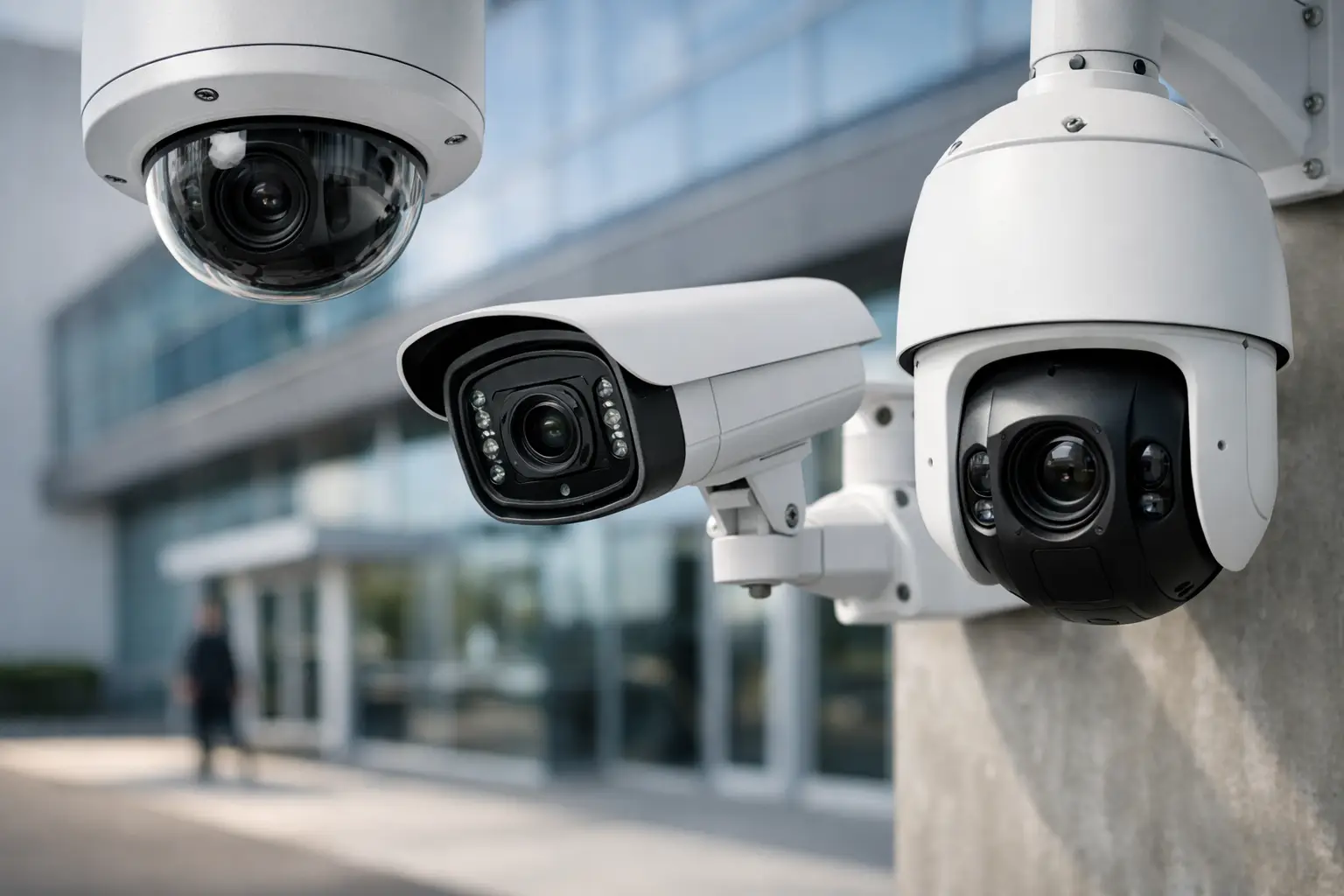
A camera that misses a loading dock after hours, blurs a license plate at the gate, or goes offline during a network issue is not a small problem for a business. Commercial security cameras need to do more than record video. They need to support investigations, deter theft, help staff respond faster, and hold up under real operating conditions.
For property managers, business owners, and facility teams, the challenge is rarely whether to install cameras. The real question is how to choose a system that fits the site, the risk level, and the day-to-day reality of the business. A retail storefront, warehouse, office campus, medical facility, and multifamily property all need different coverage strategies, different hardware, and different levels of oversight.
What commercial security cameras should actually do
At the commercial level, surveillance is tied to business operations. That means camera placement, image quality, recording policies, and user access all have to support a clear purpose. In one facility, that purpose may be loss prevention. In another, it may be employee safety, visitor management, liability protection, or after-hours perimeter monitoring.
That is why a business-grade camera system should be built around use cases, not just product specs. A high-resolution camera sounds good on paper, but if it is aimed poorly, affected by glare, or installed without the right field of view, the footage may still be useless. The same is true for advanced AI functions. Smart analytics can add real value, but only when they are configured to reduce noise rather than create constant false alerts.
Good system design starts with the questions that matter. What needs to be seen clearly? Who needs access to footage? How long should video be retained? What happens if internet service drops? Where are the common blind spots, and which areas carry the highest risk?
Commercial security cameras are not one-size-fits-all
A common mistake is assuming every camera can do every job. In commercial environments, camera type should match the space.
Interior coverage vs. exterior coverage
Indoor cameras often focus on entries, hallways, reception areas, transaction points, and inventory zones. They may not need weather protection, but they do need the right angle, lighting compensation, and enough clarity to identify people and events.
Exterior cameras have a different job. They need to deal with sun exposure, low light, shadows, rain, dust, and distance. Parking lots, gates, dumpster enclosures, service yards, and building perimeters usually require more deliberate lens selection and more attention to infrared performance or supplemental lighting.
Fixed cameras vs. PTZ cameras
Fixed cameras are often the backbone of a commercial system because they provide dependable, continuous views of specific areas. They work well for entrances, loading docks, cashier stations, and corridors where you always want a consistent angle.
PTZ cameras add flexibility. They can pan, tilt, and zoom to follow activity across larger areas like parking lots, warehouses, and campuses. They are useful, but they are not a replacement for fixed coverage. If a PTZ is looking left, it is not watching right. In many cases, the best solution is a mix of both.
Standard video vs. AI-enabled analytics
AI-powered commercial security cameras can detect line crossing, loitering, intrusion zones, people counts, and vehicle activity. In the right setting, that means faster response and less time spent reviewing footage manually.
Still, analytics need to be tuned to the environment. A busy sidewalk near a storefront, swaying trees near a fence line, or frequent delivery traffic can generate unnecessary alerts if the system is not configured properly. The technology is valuable, but the setup matters just as much as the feature list.
The business case for better camera coverage
Business leaders usually approve surveillance spending for security reasons, but the value often extends further. Well-designed commercial security cameras can help resolve customer disputes, verify delivery timelines, document workplace incidents, and support internal accountability.
They also reduce uncertainty. When a manager can pull clear footage quickly, decisions get made faster. When an operations team can verify activity across multiple points of entry, site awareness improves. When property management can review recurring issues like illegal dumping, gate misuse, or after-hours access, the camera system becomes part of how the property is managed, not just how it is protected.
This is also where integration becomes important. If video surveillance is paired with access control, intercom systems, and the right low-voltage infrastructure, businesses gain more context around events. Seeing a door forced open is useful. Seeing the video, the access event, and the timing together is better.
What to look for when evaluating commercial security cameras
Camera quality matters, but the buying decision should go beyond resolution.
Coverage design comes first
The first priority is whether the system covers the right areas with the right level of detail. Wide coverage is not the same as useful coverage. A camera may show an entire parking lot while still failing to capture faces or license plates clearly. For some zones, broad visibility is enough. For others, identification-quality video is the goal.
Storage and retention should match the risk
Some businesses need a short video history for basic review. Others need longer retention for compliance, investigations, or claims management. Higher image quality and more cameras require more storage, so this decision affects both design and budget.
There is no universal number that fits every site. A small office with low incident volume may not need the same retention period as a logistics facility, cannabis operation, or large multifamily property. The right answer depends on risk exposure, internal policies, and how footage is likely to be used.
Remote access needs to be secure and practical
Most businesses expect remote viewing, and for good reason. Owners and managers want to check events without being on site. But convenience should not come at the expense of security. User permissions, account controls, and network configuration all matter.
A system that gives everyone the same level of access can create unnecessary risk. Commercial environments need role-based access so managers, security staff, and administrators each have the visibility they actually need.
Installation quality affects long-term performance
Even strong hardware can underperform if installation is rushed. Cabling, mounting height, weather exposure, power delivery, network capacity, and recorder configuration all affect reliability. This is one reason businesses often prefer a licensed, bonded, and insured commercial installer rather than trying to piece the system together through multiple vendors.
In Southern California, that local commercial experience matters. Facilities in areas like Ontario, Los Angeles, and Rancho Cucamonga often deal with a mix of office, industrial, retail, and multifamily security demands. The installer should understand how those environments operate and design around them accordingly.
When it makes sense to upgrade an existing camera system
Many commercial sites already have cameras, but older systems often create a false sense of security. Grainy footage, dead zones, outdated recorders, unreliable remote access, and poor nighttime performance are all signs that the system is no longer doing its job.
An upgrade does not always mean replacing everything. Sometimes the cabling infrastructure is still usable, or certain coverage points can remain in place while higher-priority areas are modernized first. In other cases, a full replacement makes more financial sense than continuing to patch a system that cannot scale.
If your team avoids using the system because footage is hard to find, alerts are unhelpful, or remote viewing is unreliable, the problem is no longer just technical. It is operational. A commercial camera system should support the business, not create more friction.
Why professional design matters more than the camera brand alone
Buyers often focus heavily on manufacturers, and brand quality does matter. But in commercial security, system performance usually depends more on design, installation, and support than on the logo on the device.
The best outcomes come from a site-specific plan. That includes a real walkthrough, a review of entry points and vulnerabilities, attention to lighting and infrastructure, and a clear understanding of who will use the system after installation. A warehouse with truck traffic and fenced perimeters needs a different design approach than a medical office or a corporate suite.
That is where an experienced commercial partner adds value. A company like Resource One Low Voltage Security is not just placing cameras on walls. The goal is to build a system that supports protection, accountability, and daily operations while fitting the property and the budget.
Commercial security cameras should make your business easier to protect, easier to manage, and easier to trust when something goes wrong. If the system cannot do that consistently, it is time to take a closer look at how it was designed in the first place.